Selvtakt

Selvtakt · Norwegian for “at your own pace”

Your coach.
Your data.
No followers.

Selvtakt turns your heart rate, sleep and runs into a plan that fits you today. Not a feed to scroll.

See what it does Coming to the App Store · free
  • Every feature is free
  • Works with Apple Health
  • On-device coach

Why Selvtakt

Made for runners who run at their own pace.

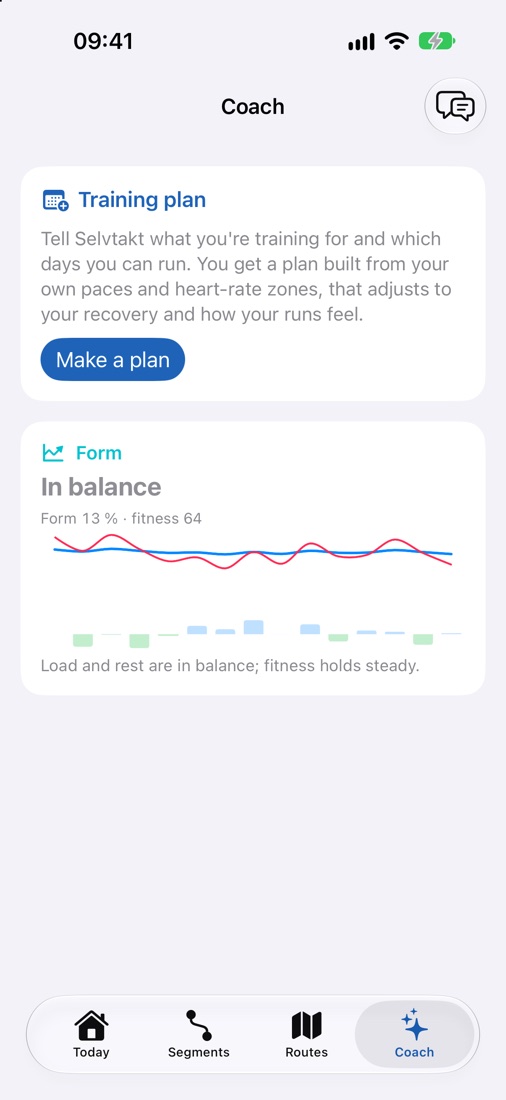
The Coach tab with a 10 km goal, today's session and the week's plan

Training plan

A plan that notices you slept badly.

Pick a race from 5 km to the marathon, or just better fitness, and the days you can train. Selvtakt builds the plan from what you actually run today, and adjusts each session to how you feel.

  • Heavy legs, poor sleep or too little recovery turn intervals into an easy run, and you see why.
  • Base, build, peak and taper towards race day, with an easier week every fourth.
  • Planned versus done: time in the target zone for every session.
  • A reminder each morning with the day's session, if you want one.
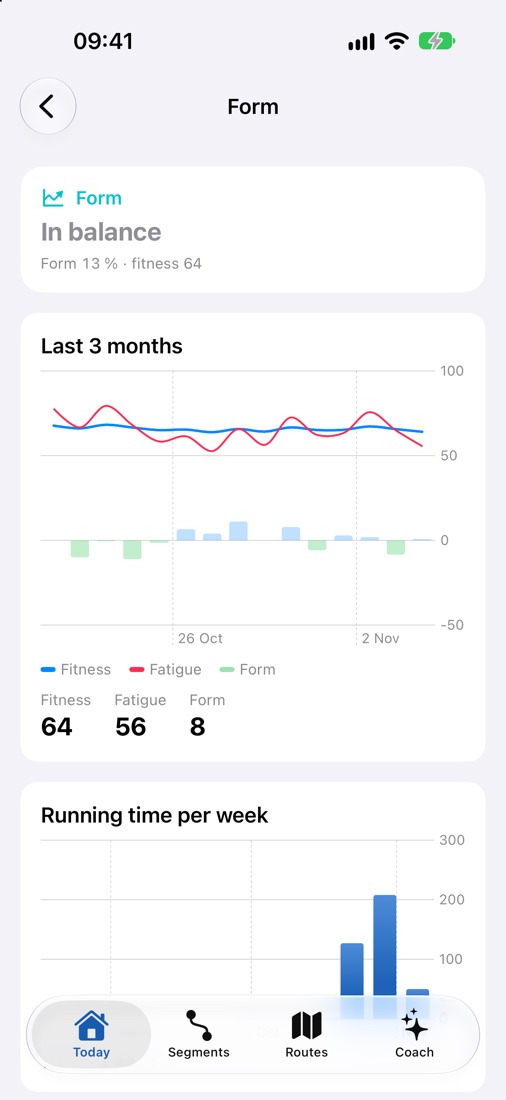
Form curve with fitness, fatigue and form over three months

Form

Know when you're building, and when you're digging a hole.

Every run scores a training load from your heart rate. Selvtakt tracks your fitness over six weeks and your fatigue over one, and tells you where you stand.

  • Four clear states: fresh, in balance, building fitness and heavy load.
  • Weekly running time alongside, so you see the connection.
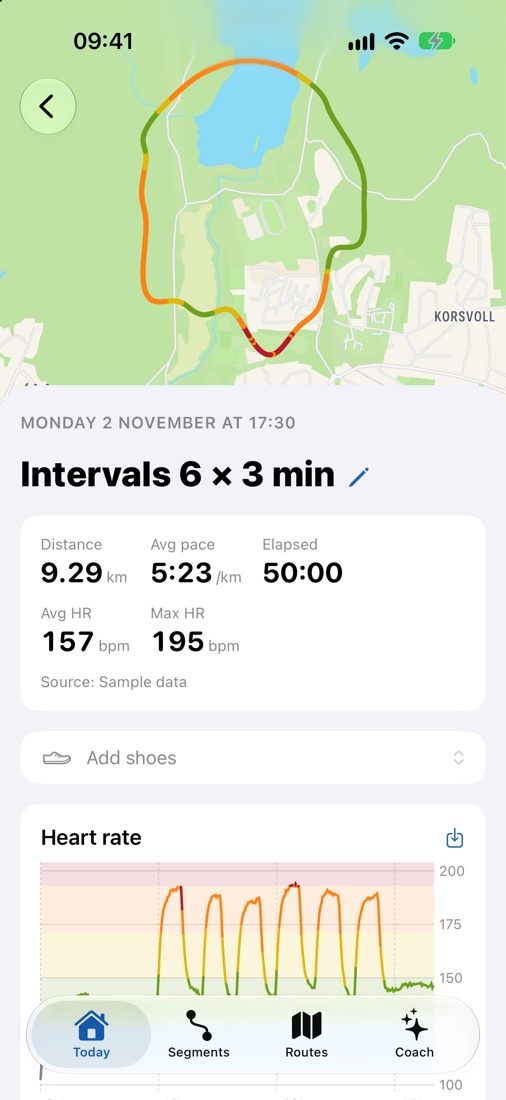
A run with distance, pace, heart rate, the shoes used and a heart-rate chart coloured by zone

Every run

Everything about the run, without digging.

A heart-rate chart coloured by your zones, time in each zone, a pace chart, a map with playback, splits and best efforts from 400 m to the marathon.

  • Notes after the run: how it felt, how your legs were, anything sore.
  • Save any card as an image, or share it straight from the app.
  • Make your own segments from a run and follow your times on them.
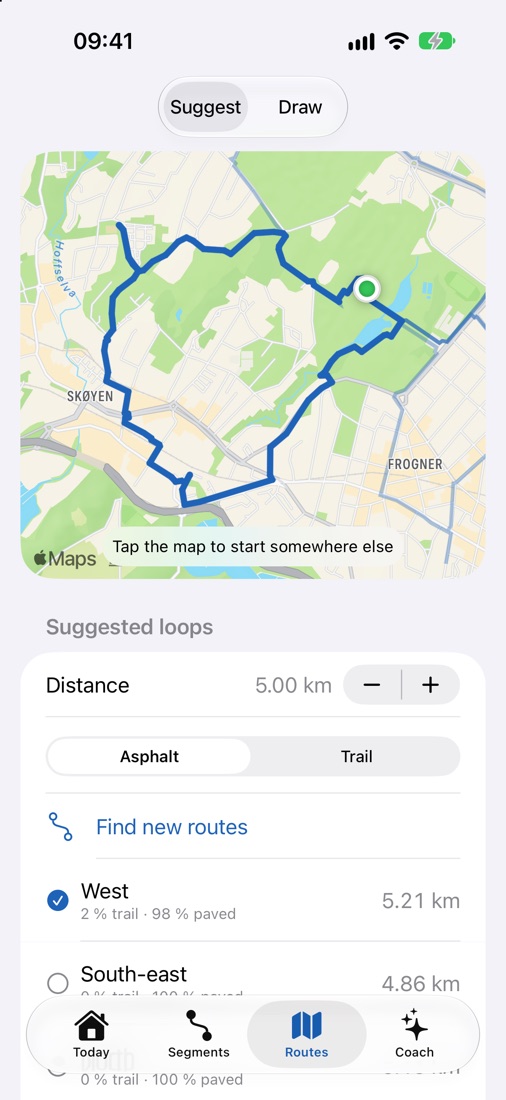
The route planner suggesting 5 km loops with a choice of asphalt or trail

Routes

Say 5 km. Get loops from your front door.

Choose a distance and whether you want asphalt or trail. Selvtakt finds loops where you are, on real paths and roads from OpenStreetMap.

  • See how much of the loop is trail before you head out.
  • Pick an intensity and get the pace and heart rate to hold.
  • Or draw your own route and export it as GPX.
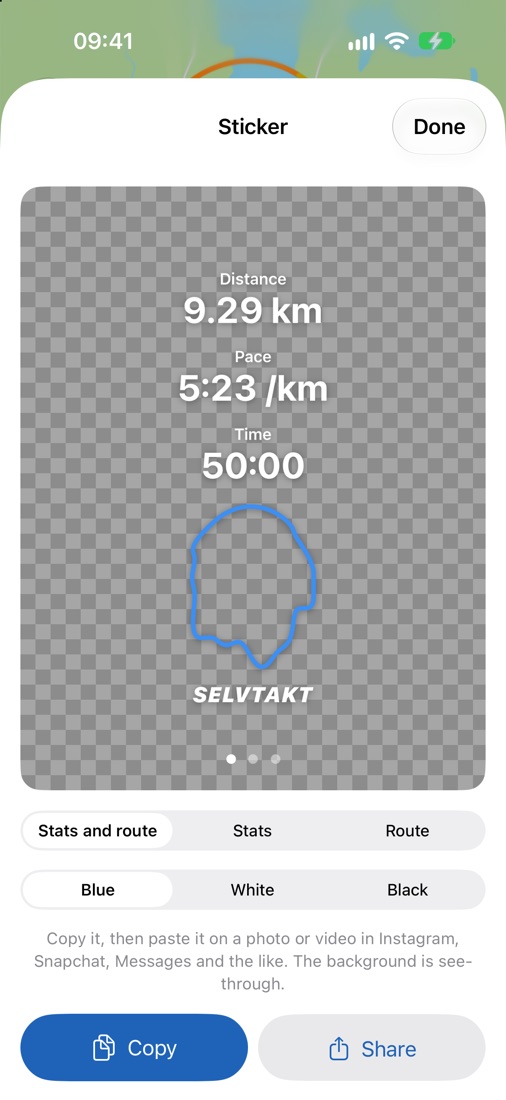
A sticker with distance, pace, time and the route outline on a transparent background

Stickers

Share the run where your friends already are.

Selvtakt has no feed, but your run can still be shown off. Make a transparent sticker with your numbers and the outline of your route, and paste it on a photo in Instagram, Snapchat or Messages.

  • Three layouts: numbers and route, numbers only, or route only.
  • Nordic blue, white or black, to suit the photo.
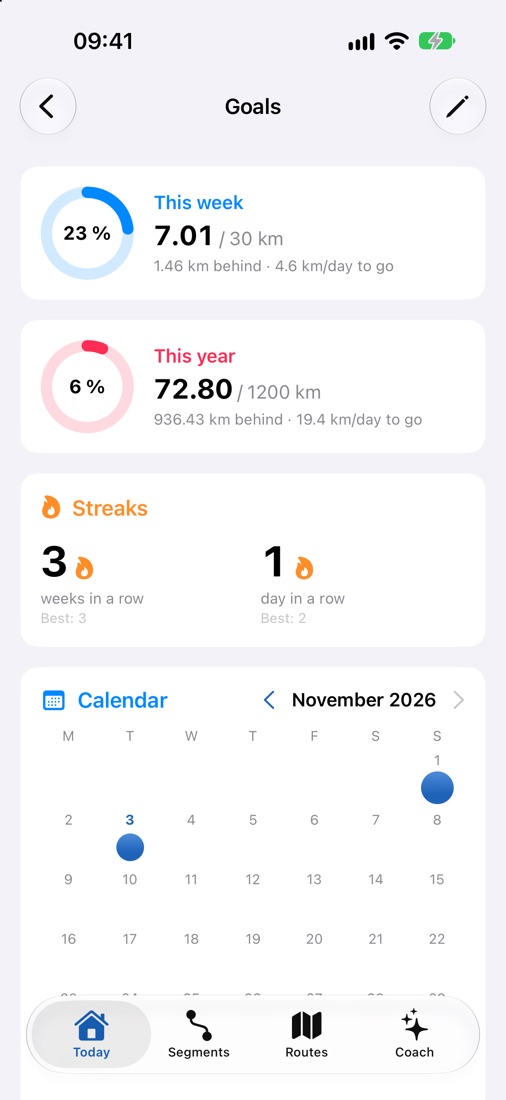
Weekly and yearly goals as rings, streaks and a calendar of run days

Goals and streaks

1,000 km this year? See every day whether you're on track.

Set goals for the week, the month and the year. Selvtakt shows how far you've come, whether you're ahead or behind, and how much is left per day.

  • Streaks of weeks and days in a row, with your best streak.
  • A calendar of all your run days. Tap a day to open the run.
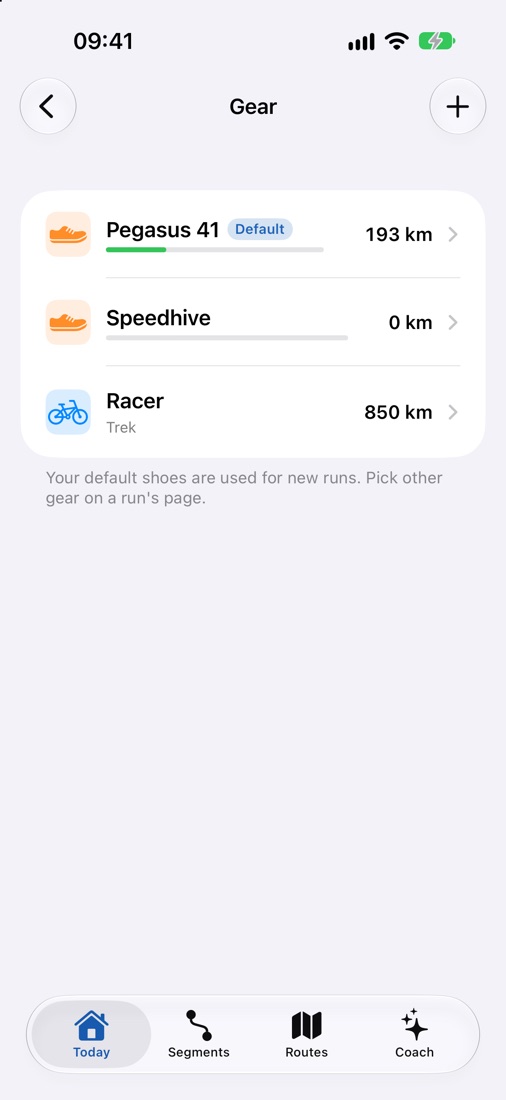
A gear list with two pairs of shoes and a bike with their kilometres

Gear

Know when your shoes are worn out.

Add your shoes and Selvtakt counts the kilometres on every run. You're told before the cushioning is gone, usually somewhere between 600 and 800 km.

  • Default shoes for new runs, and a different pair on any single run.
  • Bikes and other gear can be added too.
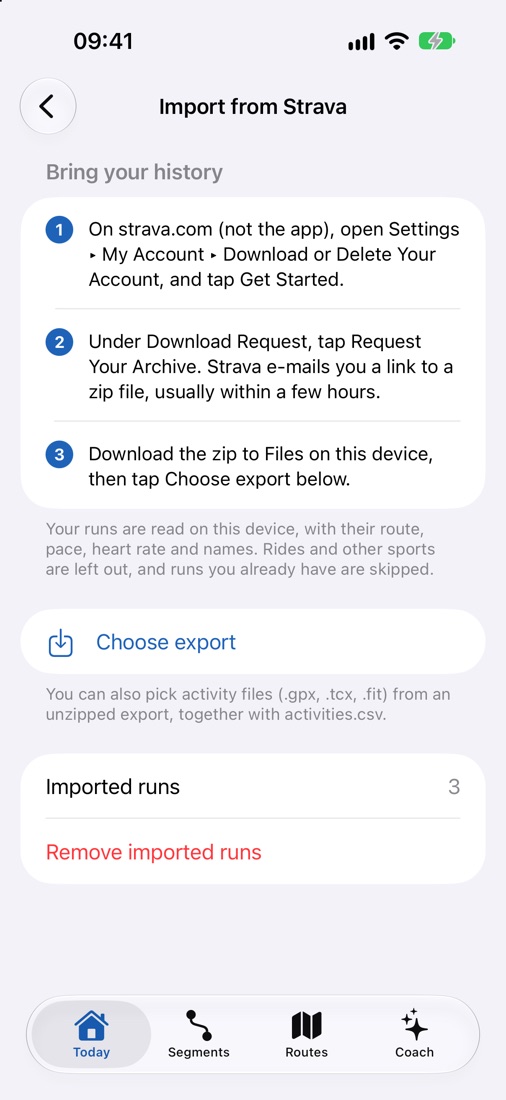
The Import from Strava screen with three steps and a Choose export button

Import from Strava

Bring your history with you.

Switching shouldn't mean starting from zero. Download your archive from Strava, pick it in Selvtakt, and your runs come across with their routes, pace, heart rate and names.

  • Reads GPX, TCX and FIT files, right on your phone.
  • Only runs: rides and other sports are left out, and runs you already have are skipped.
  • Imported runs count towards your form, goals, records and segments straight away.
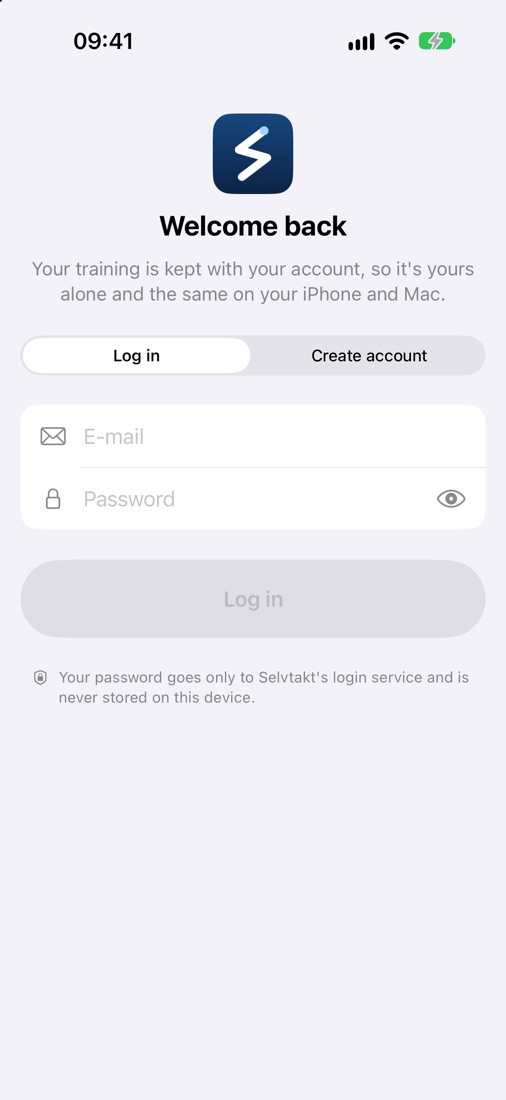
The Selvtakt login screen with e-mail and password

Security

Your training, locked to you.

Everything in Selvtakt belongs to your account, so nobody else sees it, even on a shared phone. Log out and your data goes with you.

  • Two-step verification with an authenticator app: a password alone isn't enough.
  • An optional Face ID lock every time you come back to the app.
  • Passwords of at least 8 characters, with a strength meter when you sign up.

Under the hood

Built on training science, not guesswork.

Paces from your own fitness VDOT · Jack Daniels Easy, threshold and interval paces come from your best times over 3 km and longer, and update as you get faster.
Load from your heart rate TRIMP · minutes × zone 1–5 Fitness is the 42-day average, fatigue the 7-day average. Form is the difference between them.
A coach that sends nothing Apple Intelligence · on device Ask about your sleep, your plan or your form. Answers are made on your phone, and nothing leaves it.

Privacy

Your health data is yours.

You sign in with an e-mail account, so your training is yours alone and the same on your iPhone and Mac. Runs and heart rate from Apple Health are read on your phone and never uploaded.

Two-step verification and an optional Face ID lock keep both the account and the app yours.

No ads, no analytics and no selling of data. The app has no business model that needs any of it.

What does Selvtakt cost?

Nothing. Every feature is free, with no subscription and nothing locked behind a premium tier.

Does it work with my Garmin watch?

Yes, through Apple Health: turn on Apple Health sync in Garmin Connect and your runs appear in Selvtakt. Garmin doesn't send the GPS route to Apple Health, so maps and splits need an Apple Watch or iPhone for now. Full Garmin support is in the works.

And with Apple Watch?

Yes. Runs from an Apple Watch or iPhone have everything: route, second-by-second heart rate, pace and splits.

Can I use it on my Mac?

Yes. Selvtakt runs on Macs with Apple silicon. Sign in with the same e-mail and your runs, plan, goals and gear are there too.

Why is there no social side?

Because Selvtakt is about you and your training. To show off a run, make a sticker and share it wherever you like.

What does “Selvtakt” mean?

It's Norwegian for “at your own pace”: selv means self, takt means beat or rhythm. Say it “SELF-takt”.

Can I bring my history from Strava?

Yes. Request your archive on strava.com (Settings ▸ My Account ▸ Download or Delete Your Account), then pick the zip in Selvtakt under Settings ▸ Import from Strava. Your runs arrive with their routes, pace and heart rate.

Which languages?

English and Norwegian.
Run for yourself. Smarter.

Selvtakt is coming soon to the App Store in Norway and the rest of Europe, free for iPhone and Mac.

Back to top